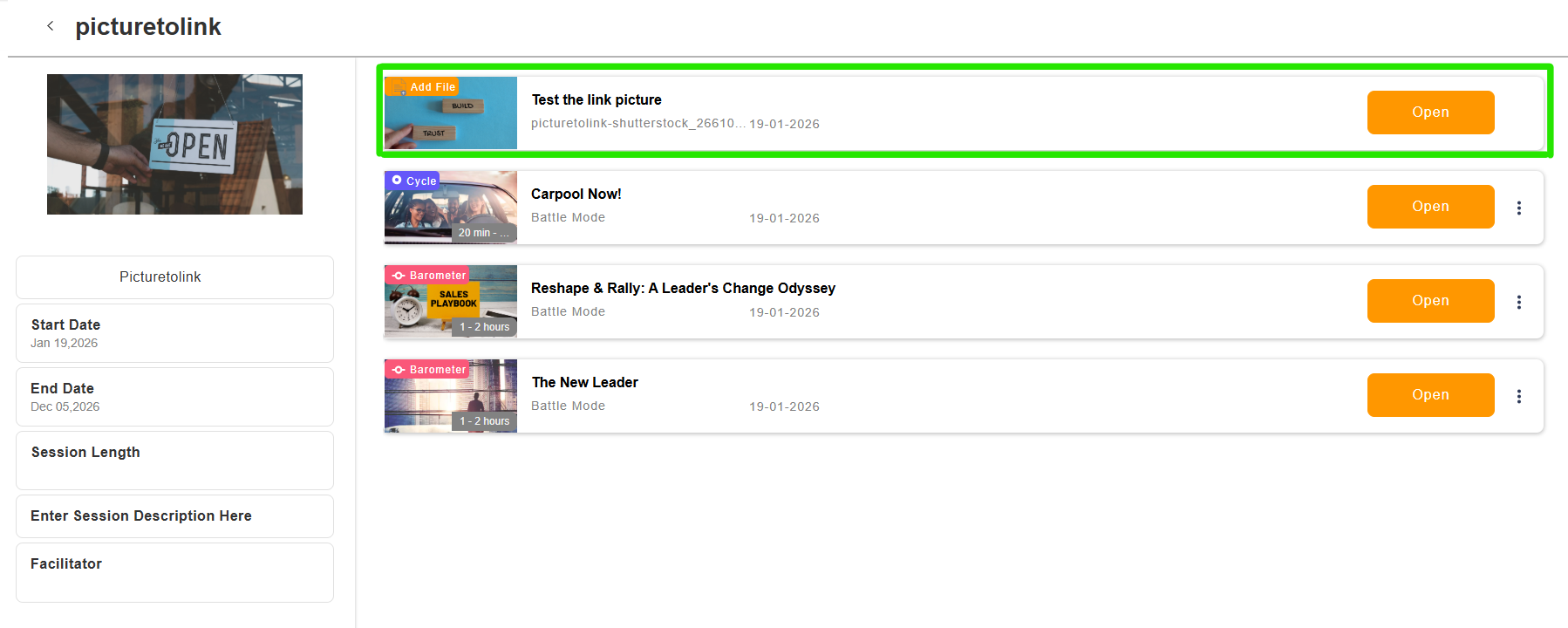
Add External Links to Your Sessions
We have introduced a new way to enrich your sessions by linking directly to external content.
You can now add a link with any image you want to your sessions, making it easy to guide participants to additional resources before, during, or after the session.


How It Works
When creating a session, you can choose between add game or add file or video
When you select Add file or video, you will see a new option to add a link.

For each link, you can:
• Upload or select any image
• Add a clear title
• Enter the external URL
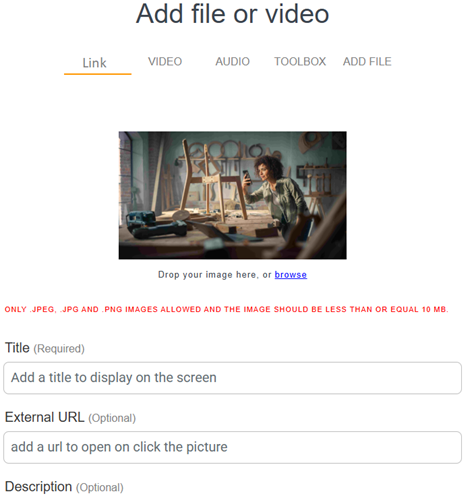
This image becomes a clickable element inside the session.
Seamless Experience for Participants
When participants enter the session, they will see the image you added.
By clicking on it, they are immediately redirected to the external link in a smooth and intuitive way.
This keeps the session flow clear while giving you full flexibility to include external content.
What Can You Link To?
You can use this feature to send participants to, for example:
• A website or landing page
• A survey or feedback form
• A document hosted online
• A knowledge base
• A video hosted outside Actee
• Any other relevant online resource
More Flexibility, More Impact
This update gives you greater control over your session content and opens up new possibilities for interaction and follow-up.
It is another step toward making sessions more dynamic, connected, and tailored to your needs.
 This website uses cookies. You agree to the use of cookies by clicking on the page.
